Blaqbook Operator Docs
Welcome. Blaqbook is an event management platform built for nightlife and music promoters — tickets, door check-in, SMS, vendor tracking, and P&L in one place. This site is the day-to-day operator manual: every page is organized around a single role, so you only have to read the part that matches your job. No technical background needed.
What Is Blaqbook?
Blaqbook is an all-in-one event management platform built for nightlife and music event promoters. It handles everything from selling tickets online to scanning people in at the door — with SMS marketing, vendor tracking, and profit/loss reporting built in.
Everything lives in one place. You don't need separate tools for tickets, guest lists, email blasts, and accounting. Blaqbook connects them automatically: when someone buys a ticket through Stripe, their information goes into your contact database, their ticket shows up in the door scanner, and their sale gets counted in your event P&L.
What Makes Blaqbook Different
- Built for nightlife from day one — genre tags, attendance scores, VIP flags, and DJ/production vendor slots come standard
- Tickets that work at the door — branded PDF tickets with QR codes go out automatically on purchase, scan in real time
- A door scanner on any phone — runs in the browser, no app to install
- SMS you control — send Twilio text blasts straight to your contact list, not through a third-party tool
- A referral chain you can actually see — guests share unique links and you see exactly who referred whom (more in Events)
- A real P&L per event — ticket revenue, POS sales, vendor costs, and bar share land in one view
- Contact segments that update themselves — group by genre, attendance, or spend; the segment refreshes as data comes in
Live US SMS sends need carrier approval (10DLC A2P registration) before they leave the building. Your administrator handles this — see CRM & SMS.
Start Where You Work
Pick the role that matches your job.
-
Executive
Run the whole platform — every menu, every setting, every report. Demo login
maya.chen. -
Event Manager
Build events, manage registrations, assign vendors, send SMS, and read the P&L. Demo login
jordan.rivera. -
Finance
Handle invoices, vendor bills, expenses, and P&L reconciliation. Read-only on events. Demo login
priya.nair. -
Trusted Staff
Look up contacts and check guests in at the door. Read-only on everything else. Demo login
dante.webb. -
Door / Crew
Run the door scanner and ring up POS merch. Nothing else in the menu. Demo login
zara.okafor.
Log in at https://[your-domain]/web with the username and password provided by your administrator. Why don't I see a menu I used to see? Your role doesn't include it. Ask an admin to switch your group — don't try to install or enable the missing app yourself.
Shared Across Roles
These features appear in more than one role's menu — not separate apps.
-
Dashboards
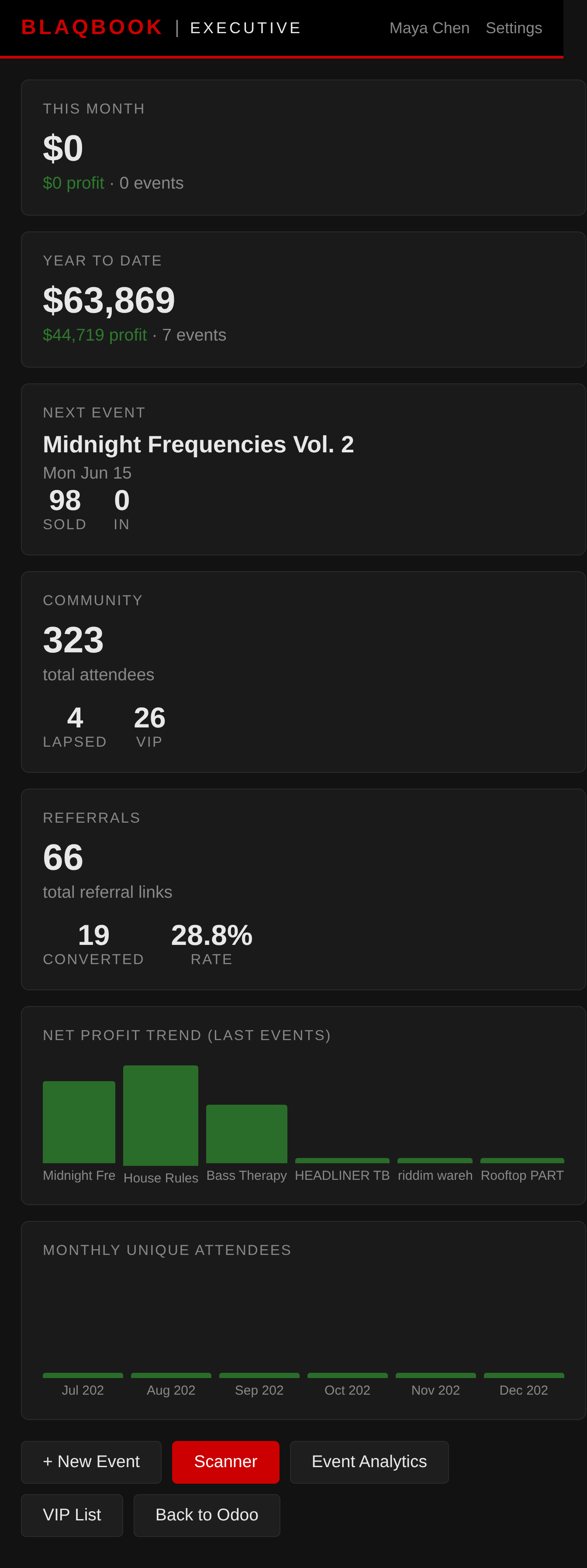
One dedicated dashboard per role at Events → Dashboards — Executive, Manager, Finance, and Door views.
-
Storefront & POS
Online shop and door cash drawer share a single inventory pool. Sell the same shirt online or at the door.
-
Outreach
Twilio SMS blasts, contact segments, and automated email rules tied to event lifecycle.
FAQ — Cross-Cutting
Stripe says "Test Mode" — are purchases real?
In test mode, no real money is charged. Use Stripe test card 4242 4242 4242 4242 with any future expiry and any CVC. Contact your administrator to switch to live mode.
I changed a setting in Blaqbook Settings but nothing happened.
Most Blaqbook settings take effect immediately — no logout, no restart. If a saved value doesn't show up, log out and back in to refresh your session; if it still isn't there, ask your administrator to confirm it actually saved. Settings that touch code or layouts are admin-only and aren't exposed in the Blaqbook Settings screen.
Can I change the accent color across the whole product?
Yes — Settings → Blaqbook → Colors → Secondary Color drives both the public website (buttons, links, highlights) and the Odoo backend chrome (navbar accent, focus rings, Discuss/Mail/Calendar surfaces). Save and reload, no restart needed. Primary Color is the dark backdrop on the public site only; the backend keeps its dark identity. Enter values as 6-digit hex (e.g. #3399ff).